Who this guide is for
This guide is for an expatriate resident inviting close family for a temporary visit to Saudi Arabia. A visit is different from dependent residency: it does not itself give a relative an Iqama or permission to work. Start by checking the current family-visit service conditions for your residence category and the visitor’s nationality.
MOFA describes the resident route for first-degree family and requires a valid work residence rather than dependent residence. Check the relationship choices in the application instead of assuming every relative qualifies. If the required relationship is unavailable, ask the responsible authority which route applies.
Prepare two document folders
For the resident: have your valid Iqama, passport details, contact information, national address and employer information ready. Keep access to your own authentication account. Do not send an agent your password or approval codes.
For each visitor: prepare passport details, a photograph meeting the destination service’s specification, and evidence of relationship such as a marriage or birth certificate where requested. Check passport validity, translation and legalization requirements against the Saudi mission or authorized visa centre serving the country of application. Keep names and dates consistent across documents.
Preparation checklist: make a separate folder for each person, name files clearly, scan every required page legibly and retain originals. This is an editorial organization tip, not an additional government requirement.
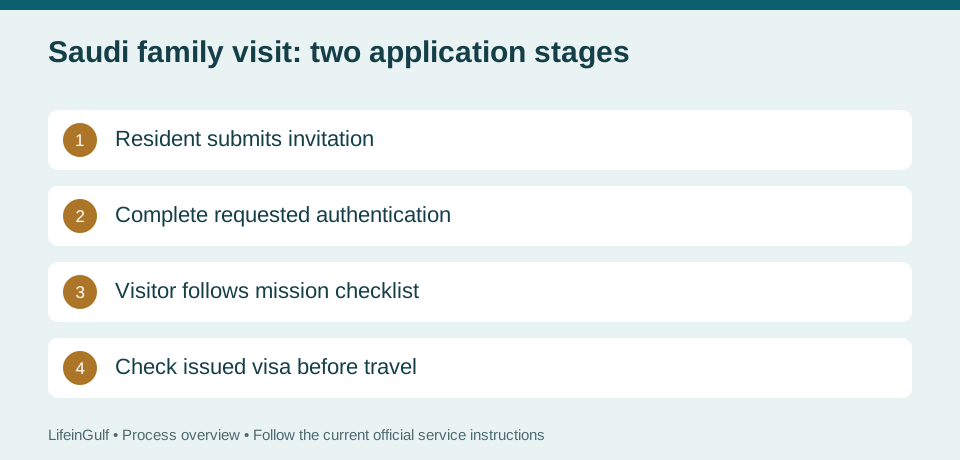
Stage 1: the resident requests a family visit
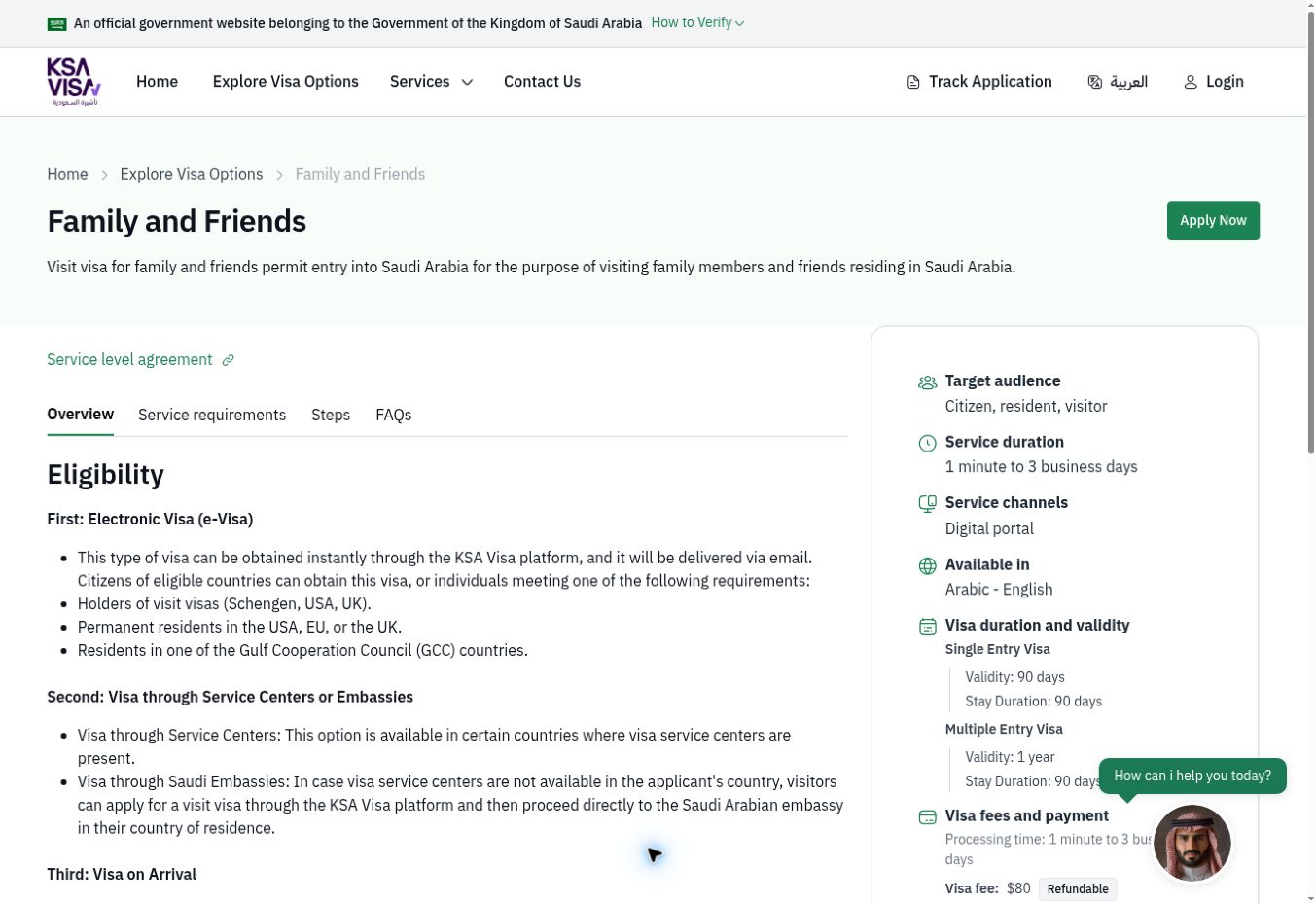
Begin at KSA Visa or MOFA’s official family-visit service. Select the citizen/resident family-visit route and authenticate using the method offered. Review the resident and employer information, then add the visitors individually. Follow the language instructions and copy passport names exactly.
Read the declaration before submitting. Save the application reference and a copy of the request. Complete any employer or chamber authentication required by the current service. Submission or authentication alone is not an issued entry visa.
Track the invitation before starting the next stage
Use the official application enquiry or your signed-in account. Keep the reference number and identifying details used for the request together. If the application asks for correction, resolve the specified issue rather than repeatedly creating new requests.
When a request is approved, share the approved invitation/application document securely with the visitor. Ask the official service for help if the status or next action is unclear. Avoid non-refundable travel purchases while issuance remains uncertain.
Stage 2: the family applies from abroad
The visitor follows the Saudi mission’s current instructions for the country where they apply. Use the official visa platform to identify the appropriate application route and authorized submission channel. An invitation is supporting material for this stage; it should not be treated as permission to board a flight.
Complete the required visitor application, arrange the requested insurance, pay the itemized official charges and follow any passport-submission or biometric appointment instructions. Requirements can differ by nationality, age and application location. Confirm whether children must attend and which guardian documents are needed before travelling to an appointment.
Fees and processing time: budget by component
Keep a written budget with separate lines for the visa charge, medical insurance, authentication, visa-centre service, optional courier and any document translation or legalization. Pay against the current official checkout or mission checklist, keep receipts, and distinguish optional services from mandatory charges.
There is no universal all-inclusive price or guaranteed completion date in this guide. The resident request and the application abroad are separate stages, and additional checks can extend either one. Check the live service estimate before setting travel dates. No agent can guarantee approval, multiple entry or a particular permitted stay.
Read the issued visa before booking travel
Check the visitor’s name, passport number, visa category, number of entries, last date for entry and permitted duration of stay. These are different fields: a visa’s validity period is not automatically the number of days someone may remain after arrival. Ask the issuer to resolve discrepancies before travel.
Keep the issued visa, passport, insurance and host’s contact details accessible. Check airline document requirements and current Saudi entry instructions, including any seasonal restrictions affecting the intended destination. A family visit visa is not a Hajj permit.
After arrival: track the stay and any extension
Record the arrival date and check the stay deadline against the official visitor record. Set reminders early. If an extension is needed, check eligibility and the current requirements through the host’s Absher account. Do not assume a single-entry or multiple-entry visa can always be extended.
Confirm passport and insurance coverage and follow the requirements shown for that visitor. Keep the extension confirmation and verify the revised date after approval. If an extension is unavailable or pending, contact official support promptly and plan departure within the authorized stay. A submitted request does not itself extend the deadline.
Common questions and avoidable mistakes
Can I bring my family permanently through this request? This guide covers a temporary visit. Dependent residence uses a different process. Can visitors take employment? A family visit is not work authorization.
What usually needs a second check? Passport spelling, relationship evidence, the correct resident category, unfinished authentication, and confusing invitation approval with visa issuance. Use the official support channel for a refusal or a missing status rather than paying for a promised guaranteed result.
Official sources checked on 25 October 2026: MOFA’s family-visit service description and its published visa-platform user manual. The manual dates from 2022 and supports the two-stage workflow; live KSA Visa and mission instructions take priority over historical screen labels. Some official pages restrict automated access, so country-specific fees, appointment availability and current extension limits are intentionally left for live verification.