What My Numbers can tell you
CST’s My Numbers service lists phone numbers and data SIMs linked to an identity record at telecom providers. It is useful when you have changed employers, replaced a SIM, or found a bill for a service you do not recognize. Begin with an inquiry rather than assuming that an unfamiliar line proves fraud.
This is an identity-linked service check. It is different from searching for the owner of an arbitrary telephone number. Use your own records or an authorized representative’s route; do not enter someone else’s identity details simply because you know their number.
Run the inquiry through CST
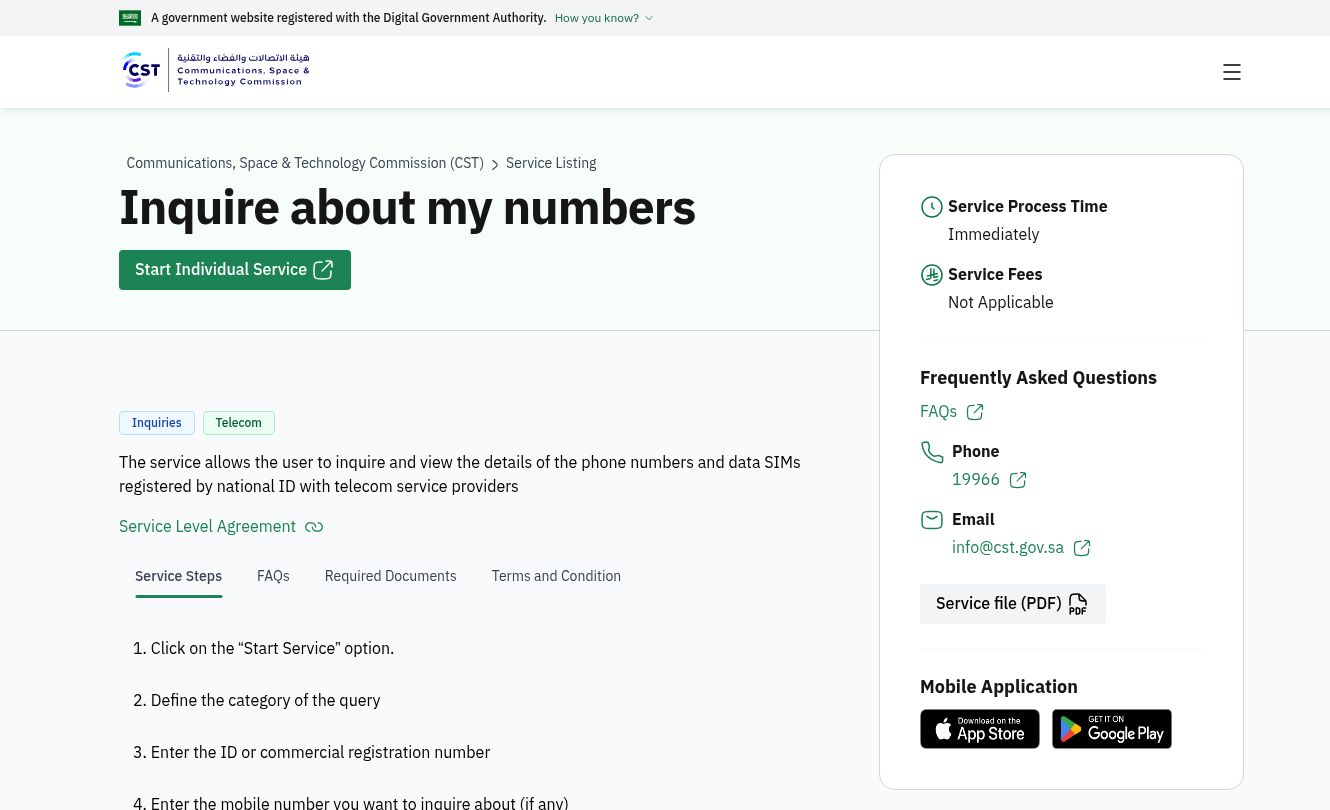
Open the official service page and use its Start Service button. Select the inquiry category appropriate to an individual, enter the identity details requested, and add the mobile number if the form asks for one. Complete the verification offered by the official service, then request the result. A resident should use the resident identity option presented by the current form.
Keep the result for your own comparison. Write down the provider, number and date of the check. Compare the list with personal, work and data-only subscriptions before treating a line as unknown. These notes are a practical record-keeping suggestion, not an extra government application requirement.
Why a number may be missing
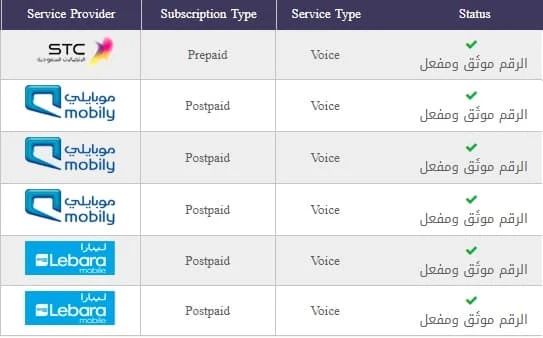
CST says the result displays active and authenticated numbers. If a line is active but still needs authentication, contact its provider through an official support channel to correct that status. An empty result is therefore not proof that every old contract has been cancelled.
For a recently closed account, ask the provider for the cancellation reference and final statement. Keep those records separately from the My Numbers result. If the same charge appears again, the cancellation evidence gives the provider a specific event to investigate.
What to do about an unfamiliar number
Contact the provider named in the result and request a formal complaint ticket. Explain which line you dispute and whether you never requested it, already cancelled it, or believe the registration is inaccurate. Ask for the investigation and correction you want, rather than sending only a screenshot with no explanation.
A useful complaint note has four parts: the affected number, the disputed event, the date you discovered it, and the action requested. Keep the ticket number and written reply together. Share identity evidence only through the provider’s official process.
When to escalate to CST
CST requires the customer to complain to the provider first. Its escalation service covers cases closed without a solution and cases left unresolved after the provider’s allowed period. The My Numbers guidance refers to five working days; follow the deadline shown for your case rather than assuming weekends count.
The escalation page also states a 60-day window for raising the original complaint after the invoice or incident, and an escalation window of up to 180 days after the unresolved closure or expiry of the provider period. Act promptly. In the official escalation service, authenticate through Nafath, complete the form and attach relevant evidence.
If the provider refuses to open a ticket
CST has a separate service for reporting that a provider would not open a complaint ticket. Use that report instead of inventing a ticket number to pass an escalation form. Describe the channel and date on which you tried to complain, and retain any message showing the refusal.
Check the correction afterward
After a provider confirms action, check both the identity-linked result and the account outcome relevant to your complaint. A corrected registration, a terminated contract and a refunded charge are different results. Ask which one was completed. Keep the final reply so you can identify a repeated problem without starting from memory.