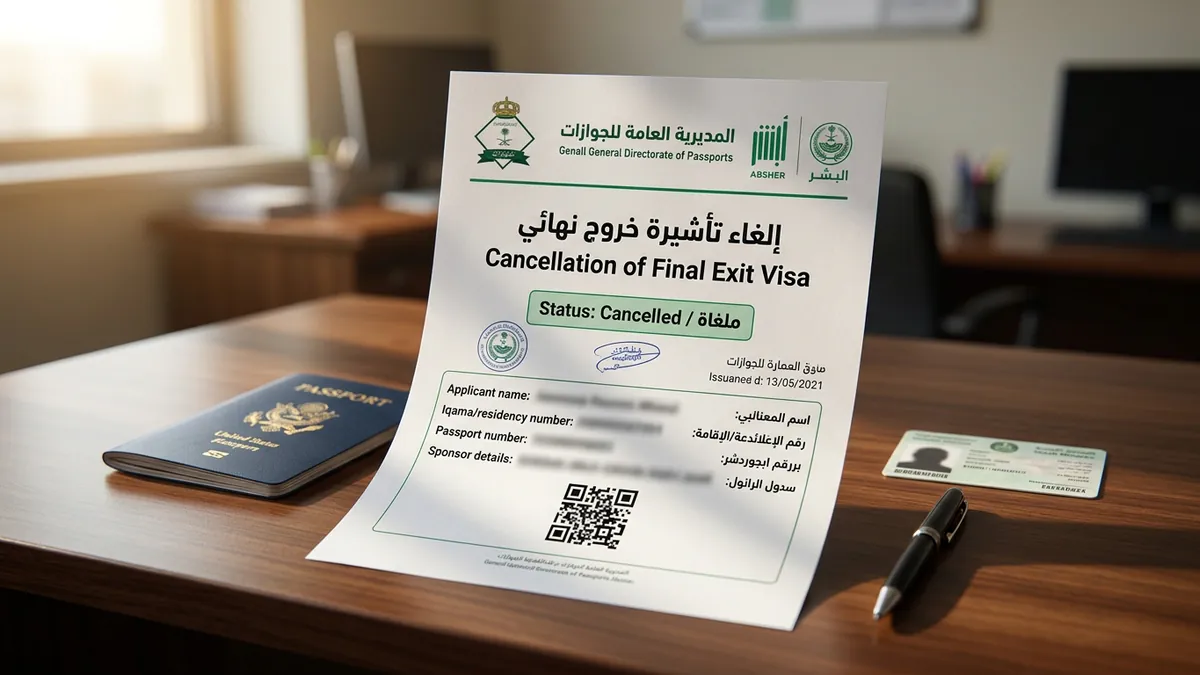
Why expatriates need to cancel a Final Exit Visa in Saudi Arabia
In the Kingdom of Saudi Arabia, a Final Exit Visa (Khuruj Nihai) is issued when an expatriate's contractual relationship terminates or when family dependents prepare for permanent departure. However, unexpected situations frequently arise where canceling this visa becomes essential:
1. Securing a New Employment Offer: Under Saudi Labor Reform guidelines, an employee whose contract ended may receive an attractive job offer from another company before departure. Canceling the final exit allows the worker to transition to the new sponsor via Qiwa without exiting the country.
2. Dependent Educational or Medical Changes: Family members scheduled to depart may need to continue school enrollment, undergo medical care, or remain united with the primary household.
3. Employer Retraction or Contract Renewal: A company and employee may mutually agree to renew the employment agreement after the visa has already been generated.
4. Administrative Errors: Visas mistakenly processed by HR personnel can be reversed if acted upon swiftly within the statutory grace period.
The statutory 60-day validity window, conditions & the SAR 1,000 penalty
Under regulations governed by the Ministry of Interior and Jawazat, a Final Exit Visa comes with strict parameters:
1. 60-Day Validity: From the exact hour of electronic issuance, the visa remains valid for exactly 60 calendar days. The resident must either leave the country or formally cancel the visa before this 60-day countdown expires.
2. The SAR 1,000 Non-Departure Penalty: If 60 days pass without departure and without online cancellation, the visa status turns delinquent. Jawazat automatically imposes a SAR 1,000 statutory fine per person under Article 61 of the Residency Law.
3. Physical Presence Prerequisite: The resident or dependent must be physically present inside Saudi Arabia. A final exit cannot be cancelled if the individual has already cleared passport control or exited across border checkpoints.
4. Clean Traffic Record: All registered traffic violations must be fully paid via SADAD before Absher or Muqeem permits the cancellation transaction to finalize.
Crucial legal distinction: family dependents vs company employees
The single biggest source of confusion for expats is who holds the electronic authority to cancel the visa:
1. Family Dependents (Under Personal Sponsorship): The expat head of household is the direct legal sponsor (Kafeel) for their wife and children. As long as the family member's Iqama remains valid, the father/husband can cancel the dependent's final exit visa in 60 seconds on Absher Individuals completely free of charge.
2. Private Sector Employees: Company workers cannot cancel their own final exit visa through their personal Absher accounts. The cancellation authority resides exclusively in the employer's Absher Business (absher.sa/business) or Muqeem (muqeem.sa) administrative dashboards.
3. Domestic Workers: Personal sponsors of domestic staff (drivers, housemaids) can execute the cancellation directly from their personal Absher dashboard under 'Sponsored Persons Services'.
Step-by-step procedure: canceling a dependent final exit visa on Absher
To cancel a dependent's final exit visa online before the 60-day window expires, follow these verified steps:
- 1
Sign in to Absher Individuals
Open the official portal (absher.sa), enter your National ID / Iqama username and password, and verify via two-factor SMS OTP authentication.
- 2
Navigate to Dependent Services
From the homepage dashboard, click on 'My Services' > 'Services' > select 'Family Members Services' (خدمات أفراد الأسرة).
- 3
Open Visa Services
Select 'Visa Services' (خدمات التأشيرات) and click 'Next' to view the roster of all registered family dependents.
- 4
Select the family member and click 'More Details'
Locate the specific dependent whose final exit visa was issued. Click 'More Details' next to their profile to display active visa information.
- 5
Click 'Cancel Final Exit Visa' and confirm
Review the visa number and 60-day expiry date. Click the red or grey button labeled 'Cancel Final Exit Visa' (إلغاء تأشيرة خروج نهائي). Confirm the statutory declaration.
- 6
Employer procedure: canceling an employee final exit via Muqeem & Absher Business
For corporate workers, the establishment's authorized HR officer or Government Relations Officer (Muqqib) must follow this protocol:
1. Log in to Muqeem (muqeem.sa) using establishment corporate digital credentials and OTP.
2. Navigate to 'Electronic Transactions' > 'Visa Management' > select 'Cancel Visa' (إلغاء تأشيرة).
3. Enter the employee's Iqama Number and Visa Number.
4. The system validates whether the employee is still within the 60-day issuance window and confirms that the company's Nitaqat tier and commercial registration remain compliant.
5. Submit the cancellation request. Upon confirmation, the employee's status instantly reverts from 'Final Exit Issued' back to 'Active Resident' (مقيم على رأس العمل).
What if the Iqama has expired? Overcoming the system deadlock
A common technical roadblock occurs when a resident's Iqama was already expired at the time of visa issuance, or expired during the 60-day final exit countdown.
Because a final exit visa cancels out the residency status, you cannot simply revert to an active residency if the underlying Iqama validity has lapsed.
To resolve this deadlock:
1. Settle Dependent & Work Permit Fees: The sponsor must pay the accumulated dependent levies or MHRSD Maktab Amal work permit renewal fees via SADAD.
2. Pay the SAR 1,000 Penalty (If Over 60 Days): If the 60-day window lapsed, pay the Jawazat cancellation violation fee of SAR 1,000 under Government Payments in your online banking app.
3. Renew Iqama Concurrently: As soon as the final exit is lifted, the employer or sponsor must renew the Iqama immediately to prevent overstay fines.
4. Absher Tawasul Escalation: If the portal displays 'Cannot proceed due to expired residency', submit an electronic ticket via Absher Tawasul under 'Passports' > 'Resident Services' attaching the SADAD payment receipts and requesting manual clearance without visiting a branch.
Transferring to a new employer via Qiwa after final exit cancellation
Once an employee's final exit visa is officially cancelled and their status returns to active:
1. The new hiring company can immediately initiate a job transfer request through their Qiwa corporate account.
2. The employee logs into their personal Qiwa account (qiwa.sa) to review and accept the official employment contract proposal.
3. If the notice period was already served with the previous sponsor or the contract expired, the transfer completes smoothly without triggering a final exit block.